
How to Reload Zong Balance via Scratch Card
Recharge Zong balance using a scratch card with 555 code or 220 helpline. Simple steps for instant mobile top-up anytime.
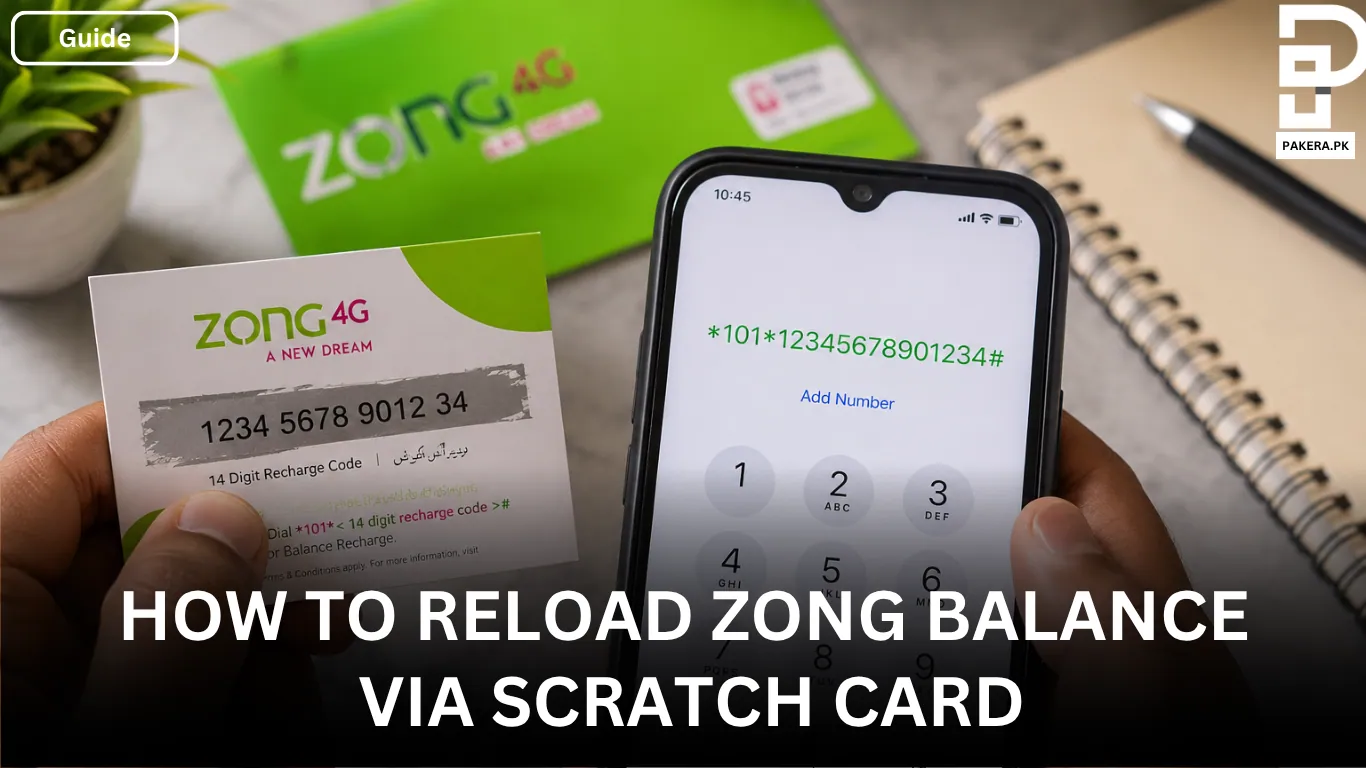
If you have bought a Zong scratch card from the market and want to add balance to your SIM, the process is very simple and only takes a few seconds. Zong scratch cards are still one of the easiest ways to recharge your mobile balance for calls, SMS, internet packages, or emergency use when online banking is unavailable.
Many users get confused about the correct recharge code or where to enter the scratch card number. Once you understand the format, you can recharge your balance anytime without any problem.
How to Reload a Zong Scratch Card
After purchasing the scratch card, gently scratch the silver area on the back to reveal the 14-digit recharge number. Make sure the number is clearly visible before entering it on your phone.
Now follow these simple steps to load the balance into your Zong SIM.
Open Your Phone Dialpad
First, unlock your phone and open the dialpad where you normally enter calling numbers.
Dial the Recharge Code
Type the recharge code in this format:
10114-digit-number#
Replace the “14-digit-number” with the code written on your scratch card.
For example:
10112345678901234#
Press the Call Button
After entering the full code, press the send or call button. Within a few seconds, you will receive a confirmation message from Zong showing that the balance has been added successfully to your account.
Things to Check Before Reloading
Sometimes users face issues while recharging their balance. In most cases, the problem happens because of a typing mistake or damaged scratch number.
Before sending the code, make sure:
- The 14-digit number is entered correctly
- You have typed 101 before the number
- The code ends with #
- The scratch card is not already used
- Your SIM has network signals
What Can You Use the Balance For?
Once the recharge is successful, you can use the balance for different Zong services including:
- Calling
- SMS
- Internet usage
- Activating Zong packages
- Emergency balance repayment
The balance stays in your account according to Zong’s validity policy.
Frequently Asked Questions
What is the Zong scratch card recharge code?
10114-digit-number#
After entering the code, press the call button.
How many digits are in a Zong scratch card?
Why is my Zong scratch card not working?
Incorrect code entry
Weak network signals
Damaged scratch number
Already used recharge card
Double-check the number and try again carefully.
Can I use the balance for internet packages?
Conclusion
Reloading Zong balance through a scratch card is still one of the quickest and easiest methods for mobile recharge. You only need to enter the correct recharge code on your dialpad, press send, and the balance will instantly appear in your account. Whether you want to make calls or activate packages, a Zong scratch card makes the process simple and convenient.
About the author

Author
Ali Akhtar is a young and curious voice here at Pakistan Era. He is currently pursuing his A-Levels and has a growing interest in Pakistan’s changing industrial landscape and educational trends. Ali likes to write in a way that helps him explain and explore the world around him. His writing reflects the perspective of the new generation navigating the evolving trends of Pakistan where technology, youth innovation, and shifting opportunities are reshaping the country’s future.



