
Ufone Balance Save Code: Stop Automatic Deductions in 2026
The Ufone balance save code is *6611#. Lock your balance against background data charges in seconds, see what it blocks, and fix it when deductions continue.
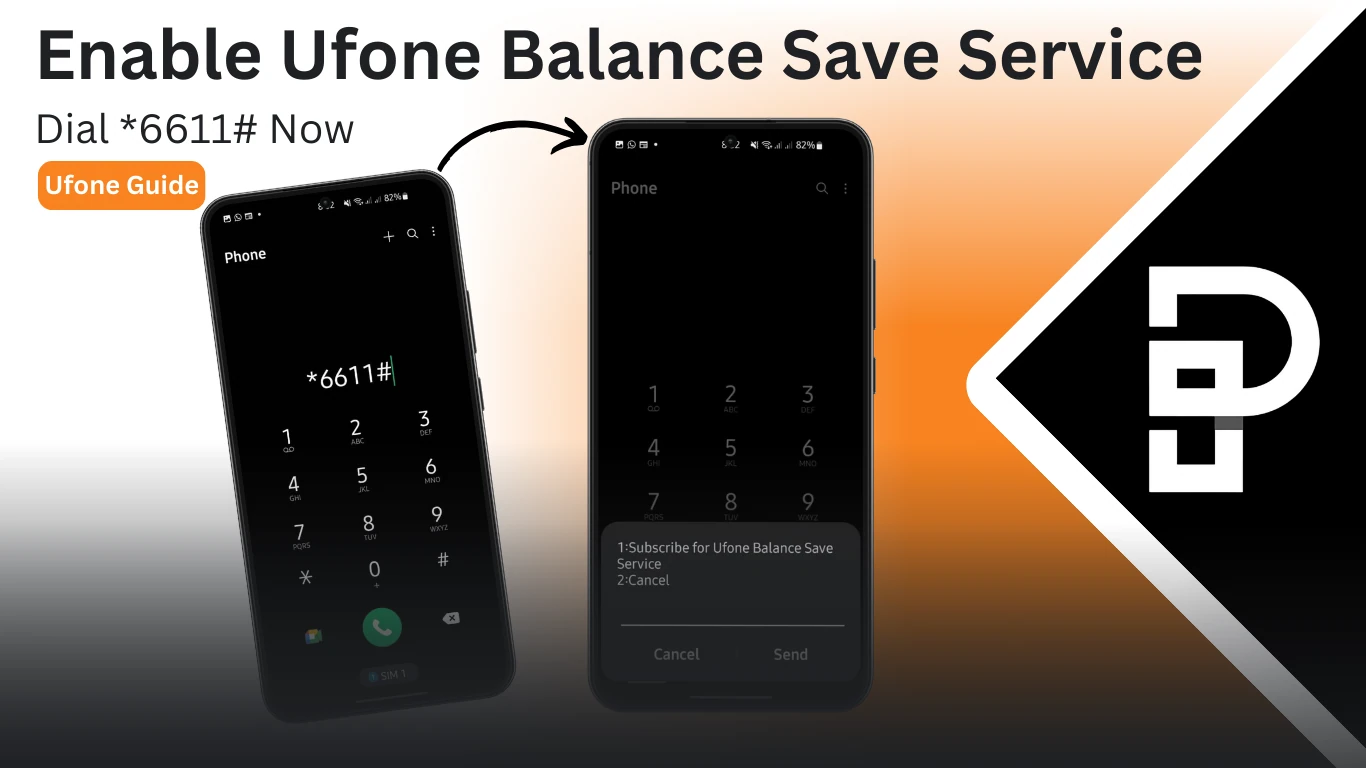
You load Rs 100 on Friday. By Sunday it is Rs 63 and you have not made a single call. The Ufone balance save code exists for exactly this, and it is one line: dial *6611#, press 1.
What is draining the credit is almost never a mystery once you look. With no active data bundle, your phone still syncs mail, refreshes apps and pulls notifications, and every one of those megabytes bills at the standard rate. Ufone counted 29.90 million subscribers in April 2026 per PTA telecom indicators, and background data is quietly eating balance on a large share of them.
The lock takes ten seconds to switch on. Here is what it blocks, what it does not, and why deductions sometimes carry on anyway.
What is the Ufone balance save code?
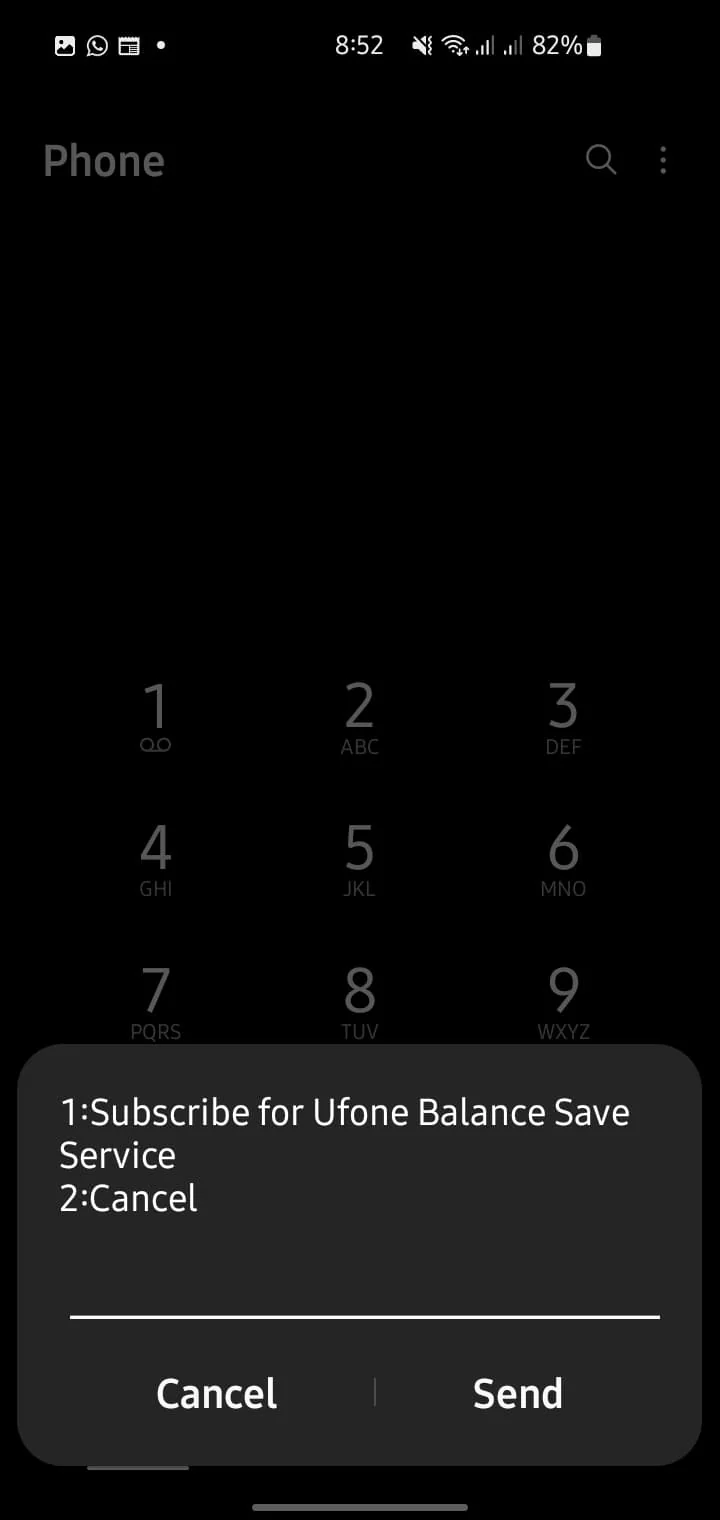
Dial *6611# from your Ufone number and press 1 to subscribe. The service locks your main balance so data used outside an active bundle cannot be charged against it. Press 2 in the same menu to unlock.
People call it the balance lock code, the balance saver code and the balance protection code. Same service, same USSD string.
It is free. There is no subscription fee, no monthly rental and no minimum balance needed to turn it on.
What does the Ufone balance save service actually block?
It blocks charges for mobile data used when you have no active internet bundle. Calls, SMS, subscription renewals and value-added services are not affected. This is a data-only lock, which is where most of the confusion comes from.
Understanding the boundary saves you a complaint call later.
| Type of charge | Blocked by *6611# |
|---|---|
| Data used with no active bundle | Yes |
| Data used after a bundle is exhausted | Yes |
| Voice calls at standard rates | No |
| SMS at standard rates | No |
| Package auto renewals | No |
| Value-added services and caller tunes | No |
| Ring back tone charges | No |
So if your balance is still falling with the lock on, the cause is in the No column. A subscription renewing on its own is the most common one, and the fix is a different code entirely. Our list of Ufone unsubscribe codes covers every bundle type.
How do you turn the Ufone balance lock on step by step?
Open the dialler, enter *6611#, press call, then choose option 1 from the menu that appears. Ufone sends a confirmation SMS within a minute. The lock stays on until you turn it off.
- Open the phone dialler on your Ufone SIM.
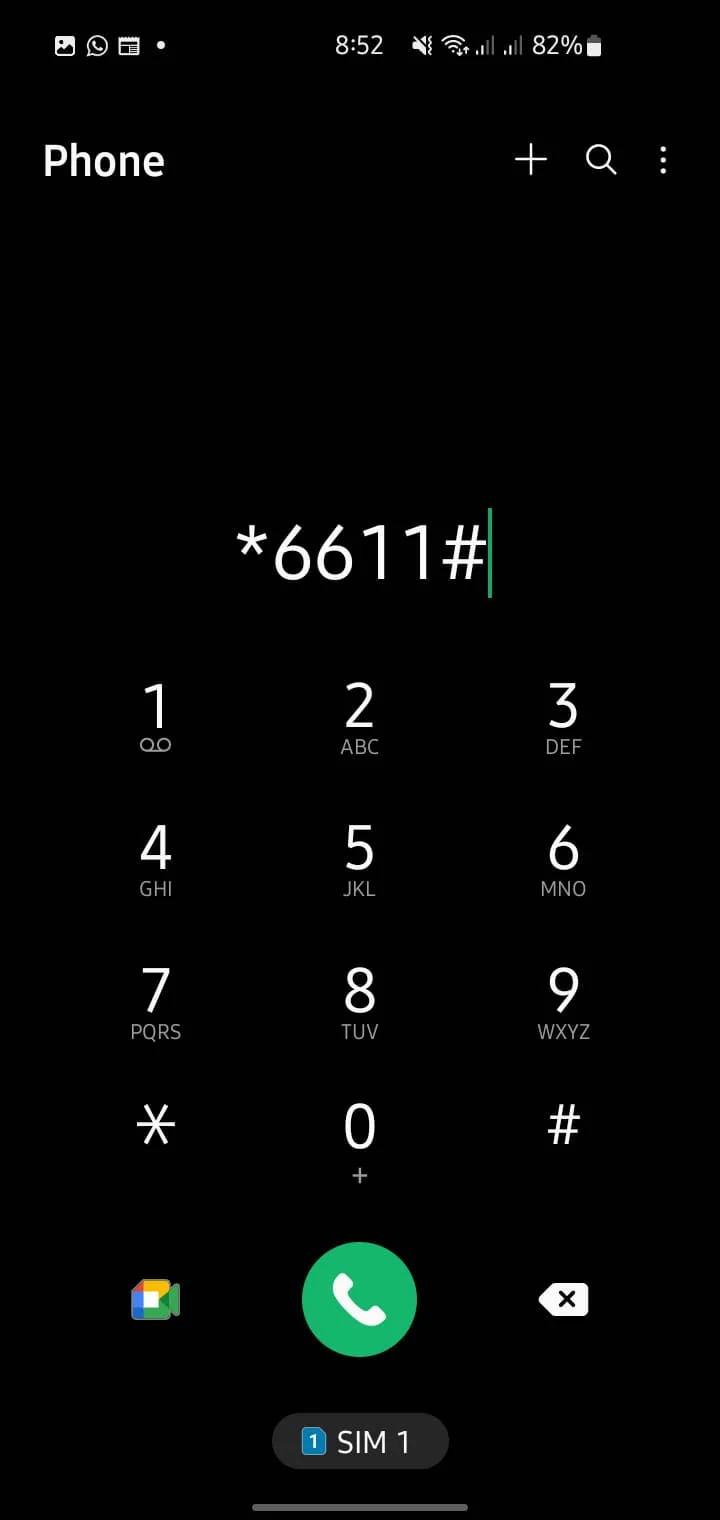
- Type *6611# and press the call button.
- A menu appears with subscribe and unsubscribe options.
- Press 1 to subscribe, then send.
- Wait for the confirmation SMS before you assume it is active.
No confirmation after five minutes usually means the USSD session timed out rather than failed. Dial it again. Repeating the request does not cause a double subscription.
Can you enable balance save from the UPTCL app?
No. The UPTCL app does not carry a balance save toggle in its VAS list, which surprises people who manage everything else there. The USSD code is the only reliable route, and it works with zero balance and no data connection.
That last part is the real advantage. When your credit has already been drained, you may not have the data to open the app at all. A USSD string does not care.
The app is still worth having for everything else. The UPTCL app guide covers what it does handle well, including subscription management and usage history.
How do you unsubscribe from the Ufone balance save service?
Dial *6611# and press 2. The lock lifts immediately and standard data charges resume. Do this before you deliberately want to use pay-as-you-go data, otherwise your connection will simply fail with credit sitting in the account.
That failure mode confuses a lot of people. With the lock on and no bundle active, mobile data does not work at all. It is not a network fault. It is the lock doing its job.
If you need data occasionally without a bundle, unlock, use it, then lock again. If you need it regularly, buy a bundle instead. It is cheaper per megabyte by a wide margin.
Why is my Ufone balance still being deducted after using *6611#?
Something outside the lock's scope is charging you. In order of likelihood: an auto-renewing package, a value-added service like a caller tune, standard-rate calls or SMS, or the lock never activated because you missed the confirmation.
Work through it methodically rather than guessing.
- Dial *706# to list every active subscription. Anything renewing here is charging you regardless of the lock.
- Check for a caller tune. Ring back tone services renew monthly and sit outside the data lock entirely.
- Confirm the lock is live. Dial *6611# and see whether the menu offers to unsubscribe you. If it offers to subscribe, the lock is off.
- Ask for a deduction history. Dial 333 and request a breakdown. Agents can list each charge with a timestamp and reverse anything applied in error.
Keeping an eye on the balance itself helps you spot the pattern. Our guide to checking your Ufone balance lists the quickest codes, and checking remaining MBs and minutes shows whether a bundle is still covering your usage.
What else stops balance disappearing on Ufone?
Turn off auto renewal on every bundle, keep mobile data switched off when no bundle is active, and audit your subscriptions with *706# once a month. The lock is a safety net, not a substitute for those three habits.
A few practical additions that cost nothing:
- Disable background data for apps you rarely use, in Android settings under Data usage.
- Turn off automatic app updates over mobile data in the Play Store or App Store.
- Decline promotional offers by ignoring them rather than replying, since a reply is often what subscribes you.
- Keep a small balance deliberately. If there is nothing to take, nothing gets taken.
Running dry mid-month happens to everyone. If it does, sharing balance from another Ufone number is faster than finding a shop, and the free MB offers can cover you until you top up.
Does the balance lock work on Ufone postpaid?
The service is built for prepaid, where a main balance exists to protect. Postpaid users have no prepaid balance to lock, so the equivalent control is a data limit or add-on cap set through the 333 helpline or the UPTCL app.
Ask the agent to place a hard data cap on the connection. That stops out-of-bundle usage from inflating the bill, which is the postpaid version of the same problem.
Moving between plan types changes what protections you get. Our guide on converting Ufone prepaid to postpaid covers what carries across and what does not.
Frequently asked questions about the Ufone balance save code
What is the balance save code for Ufone?
Dial *6611# and press 1. That subscribes you to the balance save service, which stops mobile data being charged against your main balance when no bundle is active.
Is the Ufone balance save service free?
Yes. There is no activation fee, no monthly charge, and you do not need any balance in the account to turn it on.
Does the balance saver code block all deductions?
No. It only blocks data charges. Package renewals, caller tunes, standard-rate calls and SMS still deduct normally.
Will locking my balance affect my active internet package?
No. An active bundle works exactly as before. The lock only applies to data used outside a bundle, or after one runs out.
Do I need to reactivate the lock after buying a new bundle?
No. It stays on until you unsubscribe with option 2. Buying, using or exhausting a bundle does not switch it off.
Can I still call and send SMS with the balance lock on?
Yes. Voice and SMS are unaffected and are charged at your normal rates. Only data outside a bundle is blocked.
Why does my mobile data not work after activating *6611#?
That is the lock working as designed. With no active internet bundle, data is blocked rather than billed. Buy a bundle, or dial *6611# and press 2 to unlock.
About the author

Administrator
Umer Kureshi is the Lead Administrator with a strong background in technology and digital marketing. As the Lead Administrator, and Writer at Pakera.pk, Umer manages the website operations, optimizes website content and writes engaging guides on technology and current events happening in Pakistan.



