
Ufone Super 5 Offer Code: 200GB Shared by Five Numbers
The Ufone Super 5 offer code is *747#. Share 200GB, 20,000 minutes and 10,000 SMS across five numbers, and see what each member actually gets for the money.

Five people, one bill, 200 GB between them. The Ufone Super 5 offer code is *747#, and the maths only works if all five members actually use their share. A family of two paying for a five-person bundle is burning money on capacity nobody touches.
Shared plans are a sensible answer to how households in Pakistan actually buy data. PTA figures put broadband subscriptions at 161 million by March 2026, and a large share of those are mobile connections in homes where one person pays for everyone.
Below is what the bundle includes, how to add and remove members, and the unsubscribe code that people search for almost as often as the activation one.
What is the Ufone Super 5 offer code?
Dial *747# from the number that will act as the parent account. The menu handles subscription, adding members, removing members and checking usage. You can also manage the whole thing from the Offers section of the UPTCL app.
The parent number pays for everything. Members consume from the shared pool but are never billed themselves, which is the point of the product.

What do you get in the Ufone Super 5 offer?
The bundle carries 200 GB of data, 20,000 on-net minutes and 10,000 SMS, shared across up to five Ufone numbers for 30 days. Everything comes out of one pool, so a heavy user can consume most of it.
| Included | Amount | Shared or per member |
|---|---|---|
| Mobile data | 200 GB | Shared pool |
| On-net minutes | 20,000 | Shared pool |
| SMS | 10,000 | Shared pool |
| Members | Up to 5 including the parent | Fixed |
| Validity | 30 days | From activation |
Shared pool is the phrase to pay attention to. There is no per-member cap by default, so one person streaming in 4K can flatten the data allowance for the whole group in a fortnight. Agree the ground rules before you hand out the invitations.
How do you add members to Ufone Super 5?
Dial *747# from the parent number, choose the manage members option, and enter the Ufone number you want to add. The invited number receives an SMS and has to accept before it can use the shared pool.
- Dial *747# from the parent number.
- Select the option to add or manage users.
- Enter the Ufone number of the person you want to include.
- Ask them to reply to the invitation SMS to accept.
- Repeat until you have four members plus yourself.
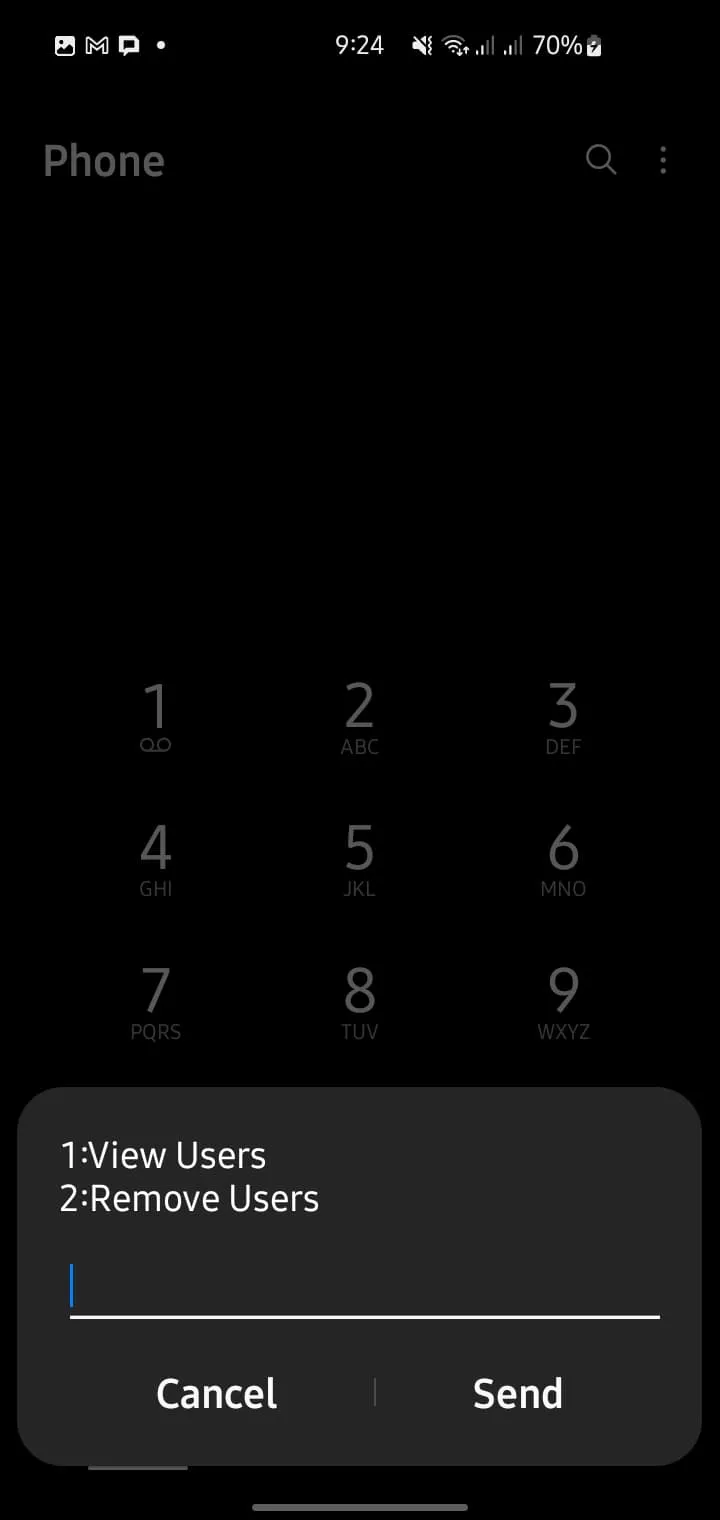
Only Ufone numbers can join. A Jazz or Zong number cannot be added regardless of who is paying, which rules the offer out for mixed-network households.
How do you manage Super 5 from the UPTCL app?
Open the UPTCL app, go to Offers, find Super 5 and tap Manage. The app shows remaining data, minutes and SMS for the group, plus which member has used what. The USSD menu does not break usage down by person.
That per-member breakdown is the app's one genuine advantage here, and it settles arguments quickly.
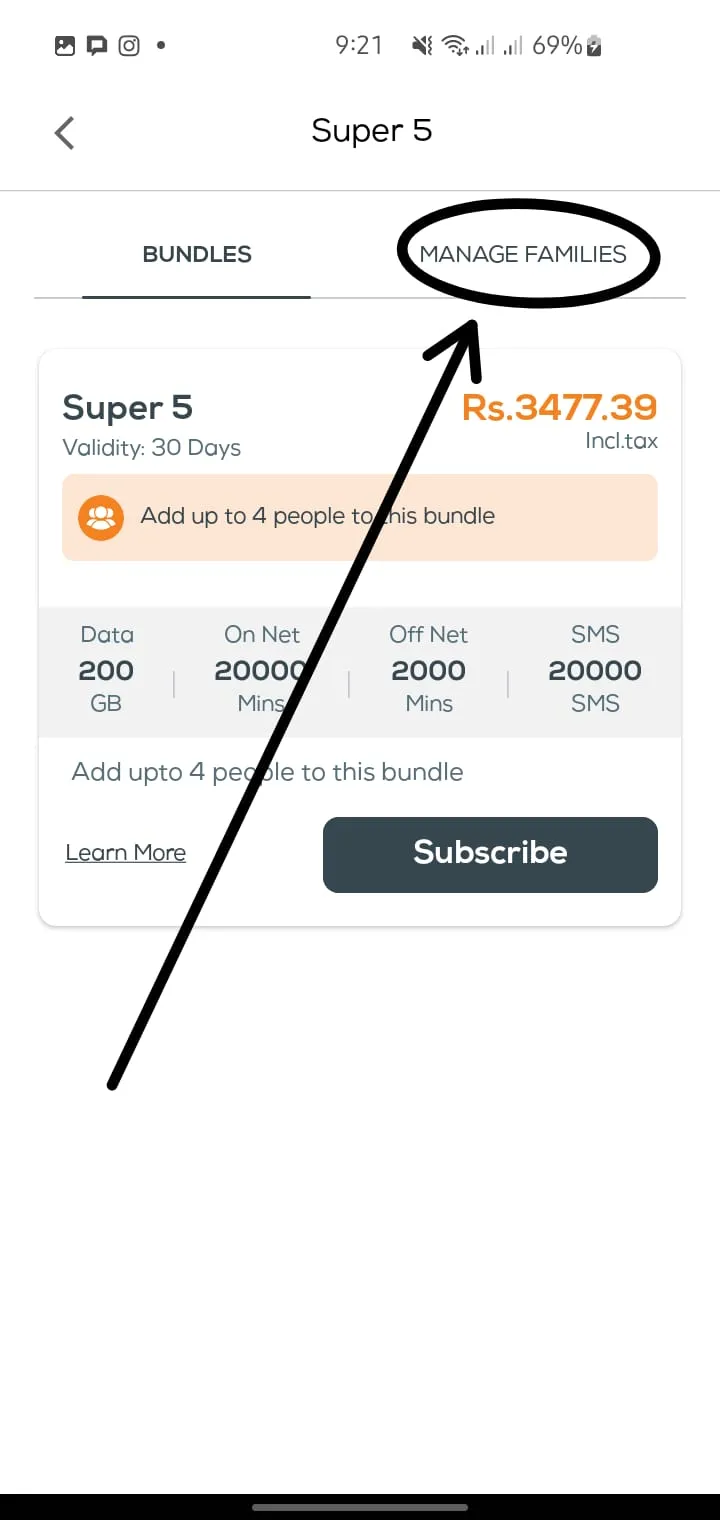
New to the app? Our UPTCL app guide covers installation, login and what else it handles.
How do you unsubscribe from the Ufone Super 5 offer?
Dial *747# and pick the unsubscribe option, or cancel it from Offers in the UPTCL app. Cancelling from the parent number ends the bundle for every member at once. Removing a single member does not cancel the offer.
Two different actions, often confused. Removing one person frees a slot. Unsubscribing ends the whole thing.
- To drop one member: *747#, manage users, remove that number.
- To end the offer for everyone: *747#, unsubscribe, confirm.
- To stop it renewing but keep this cycle: unsubscribe now. Allowances stay usable until the 30 days expire.
No refund is issued for the unused part of the cycle. If you are ten days in, use the remaining twenty rather than cancelling immediately. Our full list of Ufone unsubscribe codes covers every other bundle sitting on the number.
Is the Ufone Super 5 offer worth the money?
It is good value at four or five active members and poor value at two. Compare it against the Digital Mega Offer, which also carries 200 GB but on a single number, before you commit a group to it.
Run the sum honestly. If two of your five members use 2 GB a month each, you are paying for a shared 200 GB pool that behaves like a 190 GB single-user plan with extra admin.
Where it does win is households where three or four people genuinely stream, study and work from mobile data. One payment, one expiry date, no arguments about who owes what.
Is there a Ufone Super 5 call offer?
The 20,000 on-net minutes inside Super 5 are the call component. Ufone does not sell a separate calls-only version of this bundle. For voice-heavy users without the data need, a Super Card with a large minute allowance is the closer fit.
On-net means Ufone, Telenor and PTCL numbers. Calls to Jazz and Zong are not covered by the shared minute pool and bill at standard off-net rates.
If group calling is what you are actually after, the Ufone conference call service connects five people on one line for a one-time activation fee, which is a different product solving a different problem.
Frequently asked questions about the Ufone Super 5 offer
What is the Ufone Super 5 code?
Dial *747# from the parent number. The same code subscribes, adds members, removes members and cancels the offer.
How do I unsubscribe from the Ufone Super 5 offer?
Dial *747#, choose the unsubscribe option and confirm. It can also be cancelled from Offers in the UPTCL app, and it ends the bundle for all members.
Can I add a Jazz or Zong number to Super 5?
No. Only Ufone numbers can join the group, regardless of who holds the parent account.
Is the data split equally between the five members?
No. It is one shared pool with no default per-member cap, so a single heavy user can consume most of the 200 GB.
What happens if a member leaves the group?
Their access ends immediately and the slot frees up for someone else. Data they already used is not returned to the pool.
Does Super 5 renew automatically?
It runs on a 30-day cycle from the parent number. Cancel through *747# before the cycle ends if you do not want it to continue.
About the author

Administrator
Umer Kureshi is the Lead Administrator with a strong background in technology and digital marketing. As the Lead Administrator, and Writer at Pakera.pk, Umer manages the website operations, optimizes website content and writes engaging guides on technology and current events happening in Pakistan.



